Preview your icon where people will see it
Check the icon in Dock, Finder, iPhone settings, Android launchers, Windows Start and small system sizes before exporting.
 IconBeast
ANDROID · ICONBEAST
Turn a PNG into Android launcher icons. Download a ZIP with adaptive layers, five mipmap densities and a 512 × 512 Google Play icon. Three free packages a day.
Free in the browser · no account · source image stays local
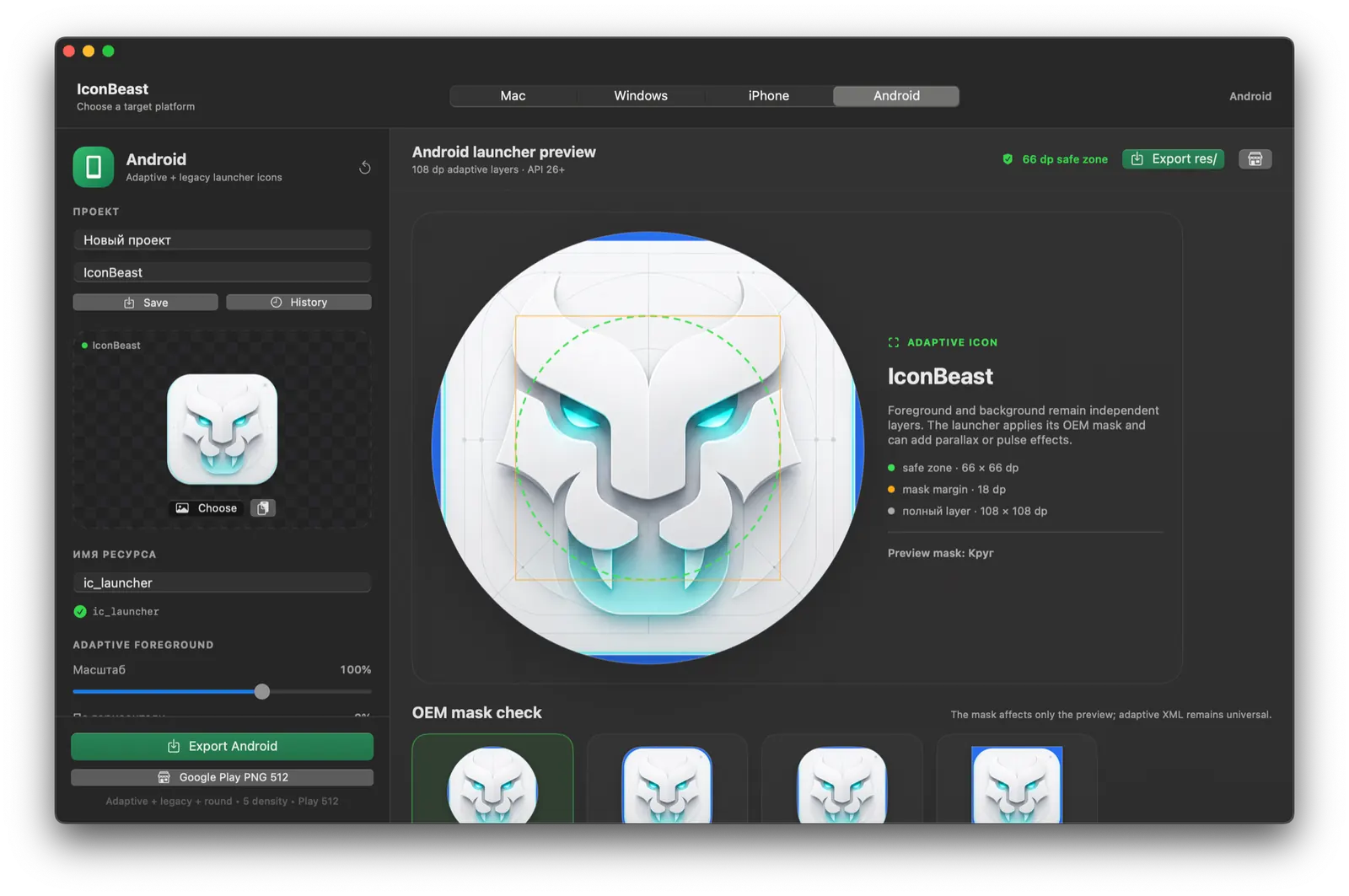
LIVE · ICONBEAST STUDIO
Free in the browser · no account · source image stays local
EXPORT
IconBeast builds the proper pixel sizes, platform folders and readable manifests instead of giving you one decorative PNG.
| Resource folder | Launcher PNG | Adaptive layer |
|---|---|---|
mipmap-mdpi | 48 × 48 | 108 × 108 |
mipmap-hdpi | 72 × 72 | 162 × 162 |
mipmap-xhdpi | 96 × 96 | 216 × 216 |
mipmap-xxhdpi | 144 × 144 | 324 × 324 |
mipmap-xxxhdpi | 192 × 192 | 432 × 432 |
The separate 512 × 512 PNG is for your Google Play listing. play-store-512.png
Check the icon in Dock, Finder, iPhone settings, Android launchers, Windows Start and small system sizes before exporting.
IconBeast builds the proper pixel sizes, platform folders and readable manifests instead of giving you one decorative PNG.
Your source image is edited on your device and is not uploaded to an image-processing server.
01 — 03
Choose a PNG or another supported image.
Adjust scale, position, background and safe zone while previews update live.
Download the platform-ready ZIP with the right files and manifests.
ICONBEAST
Create every correct app icon size from one image, preview it in real iOS, macOS, Android and Windows contexts, and export a project-ready package.
Generate AppIcon.appiconset, Contents.json, App Store 1024 PNG and all required iPhone icon sizes without alpha.
Create a native ICNS, AppIcon.iconset and every macOS PNG size from 16 to 1024, with Dock and Finder previews.
Convert one PNG into a multi-frame ICO plus the correct WinUI and MSIX PNG assets, with Start and Explorer previews.
FAQ
Open the free editor and choose your PNG. Check the circle and rounded masks, then download the Android ZIP. It includes adaptive foreground and background resources for Android 8+ and launcher PNGs for five screen densities.
Unzip the package and merge Android/res into the app module’s res folder (usually app/src/main/res). Keep your existing AndroidManifest.xml. Set android:icon to @mipmap/ic_launcher and, if you use a round variant, android:roundIcon to @mipmap/ic_launcher_round. Rebuild and check the launcher.
They are separate files. Use play-store-512.png for your Play Console store listing. Use the res folder and manifest references for the icon people see on the device.
Yes. The browser editor works without an account and includes three complete exports per UTC day.
No. Image editing and export packaging happen locally in your browser.
Yes. IconBeast shows the icon in platform-specific interfaces and at small sizes before export.
108 dp adaptive layers · API 26+
⌗ ADAPTIVE ICON
Foreground and background remain independent layers. The launcher applies its OEM mask and can add parallax or pulse effects.